> For the complete documentation index, see [llms.txt](https://docs.bifi.finance/biport-mobile-1/llms.txt). Markdown versions of documentation pages are available by appending `.md` to page URLs; this page is available as [Markdown](https://docs.bifi.finance/biport-mobile-1/undefined-2/undefined-2.md).

# 요즘 핫한 토큰 구매하기

### 요즘 핫한 토큰 구매하기

<div><figure><img src="/files/WxodflEvpeXtYnscEiI8" alt=""><figcaption></figcaption></figure> <figure><img src="/files/hsh7Niawm738CGSdtLwe" alt=""><figcaption></figcaption></figure> <figure><img src="/files/6WNT5h7uQ3KkAe1YSkaX" alt=""><figcaption></figcaption></figure></div>

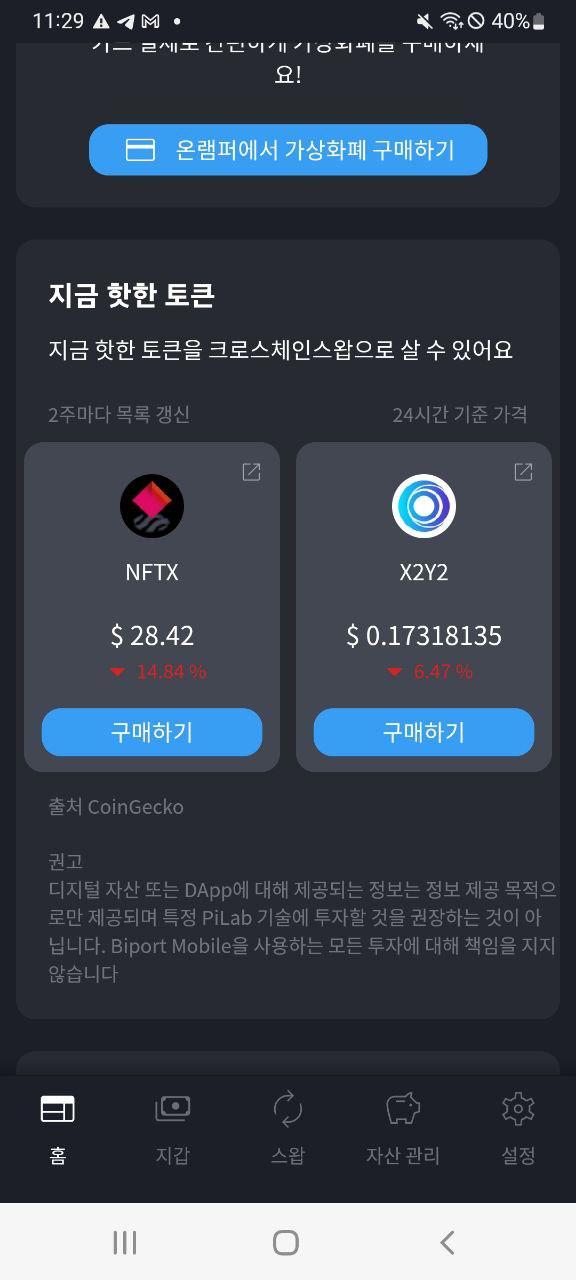
1. 구매를 원하시는 ‘요즘 핫한 토큰’을 선택해 주세요.
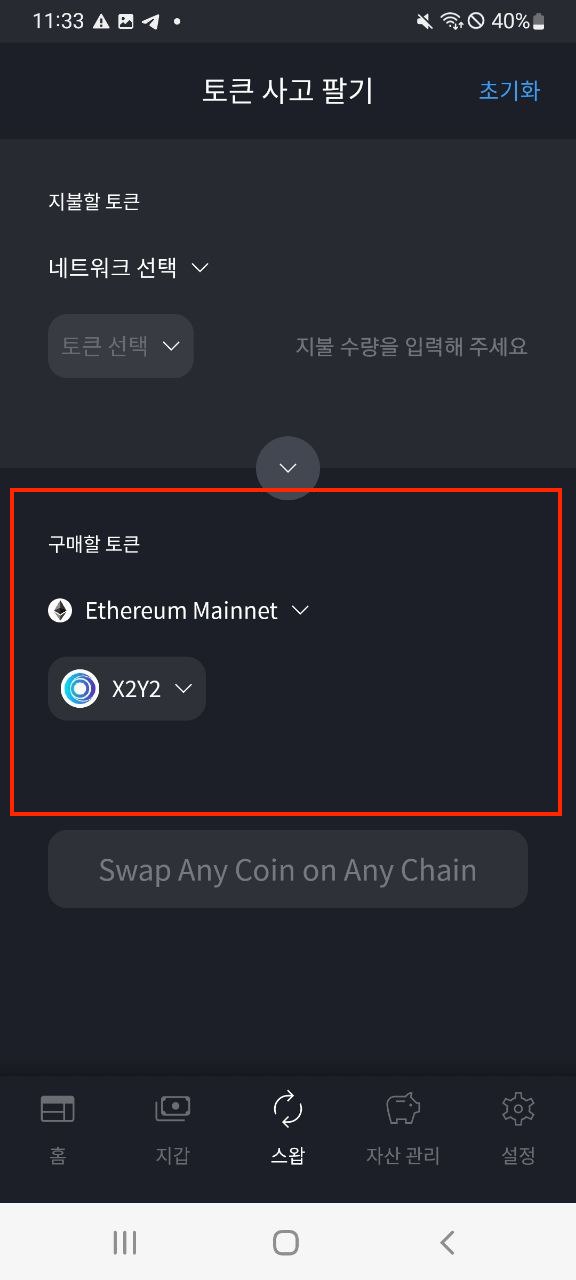
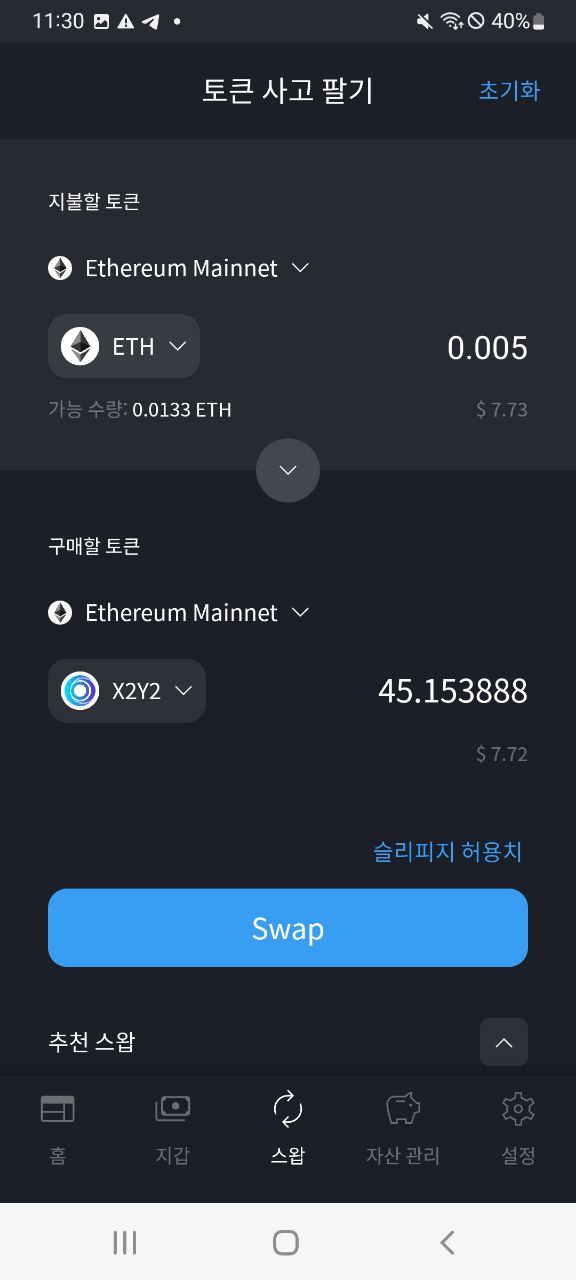
2. 선택한 토큰은 크로스체인스왑을 위해 ‘구매할 토큰’ 으로 자동 설정됩니다.
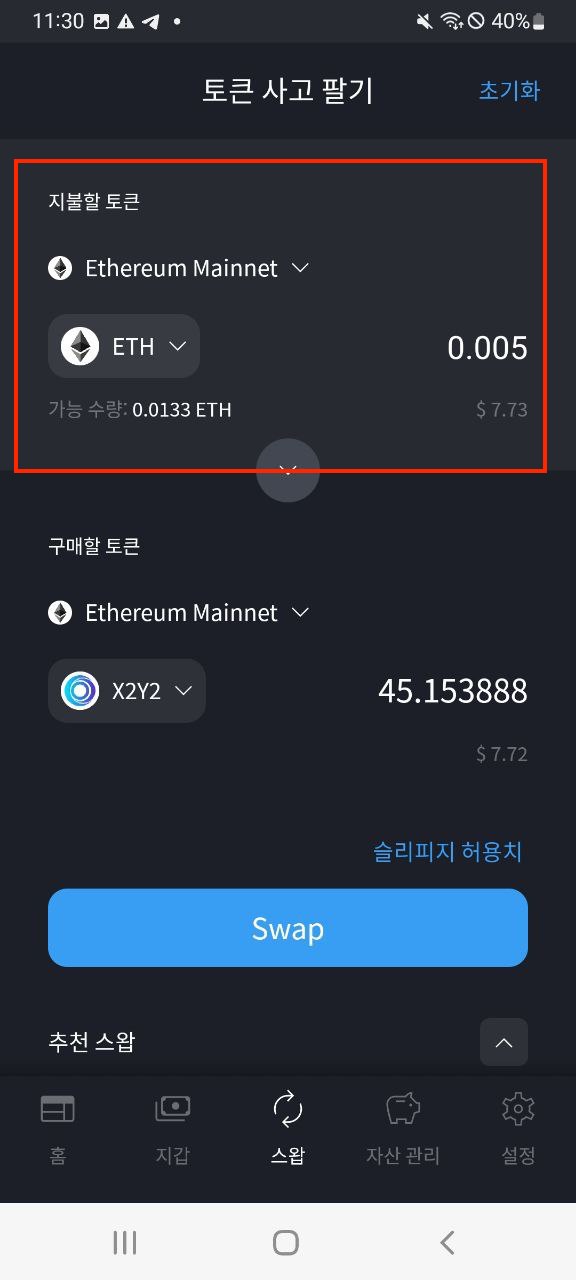
3. 지불할 토큰을 선택한 뒤 수량을 입력해 주세요.

<div><figure><img src="/files/zp5FPx9JhkCMPzx2n6V6" alt=""><figcaption></figcaption></figure> <figure><img src="/files/bZhs04l3DHVQk63VIyu2" alt=""><figcaption></figcaption></figure> <figure><img src="/files/uoIpCyvr0A0alxjQYyyM" alt=""><figcaption></figcaption></figure> <figure><img src="/files/P8b3SKklzbGDTYVfzGUM" alt=""><figcaption></figcaption></figure></div>

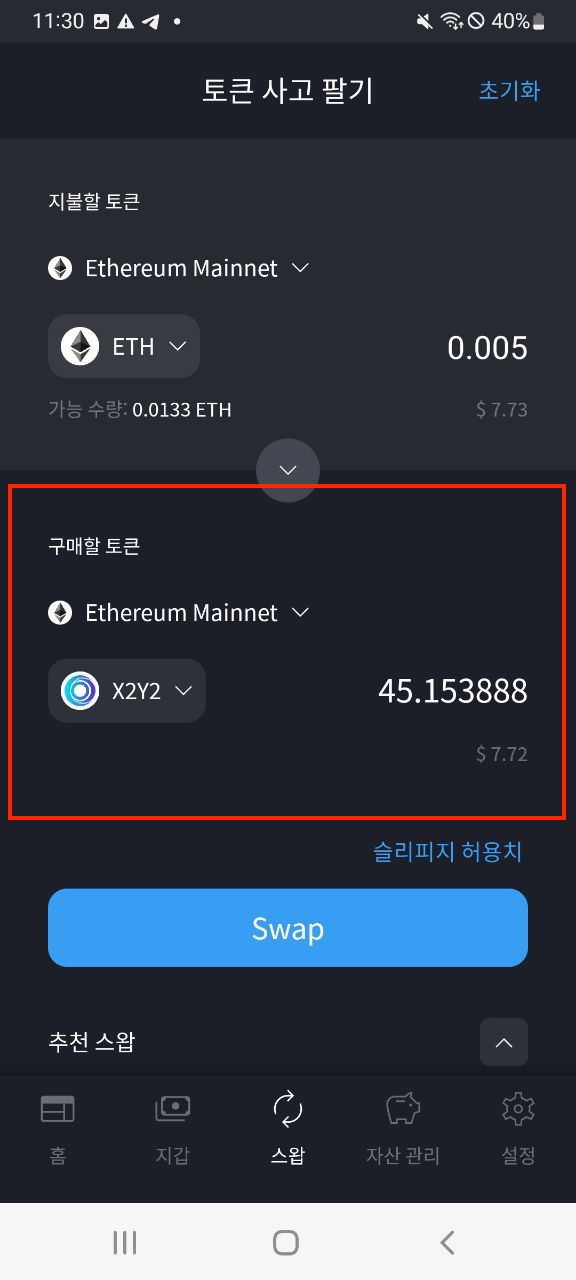
4. 구매할 토큰의 수량이 자동 계산됩니다.
5. `Swap` 버튼을 클릭해 주세요.
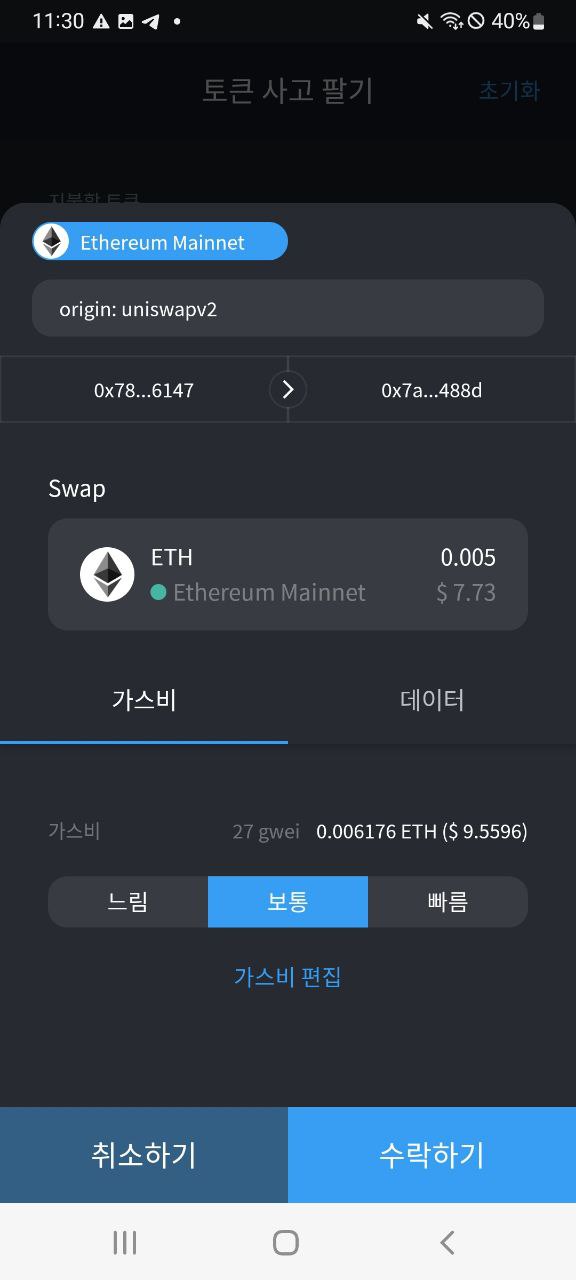
6. 거래 내역을 확인해 보신 뒤 `수락하기` 버튼을 클릭해 주세요.
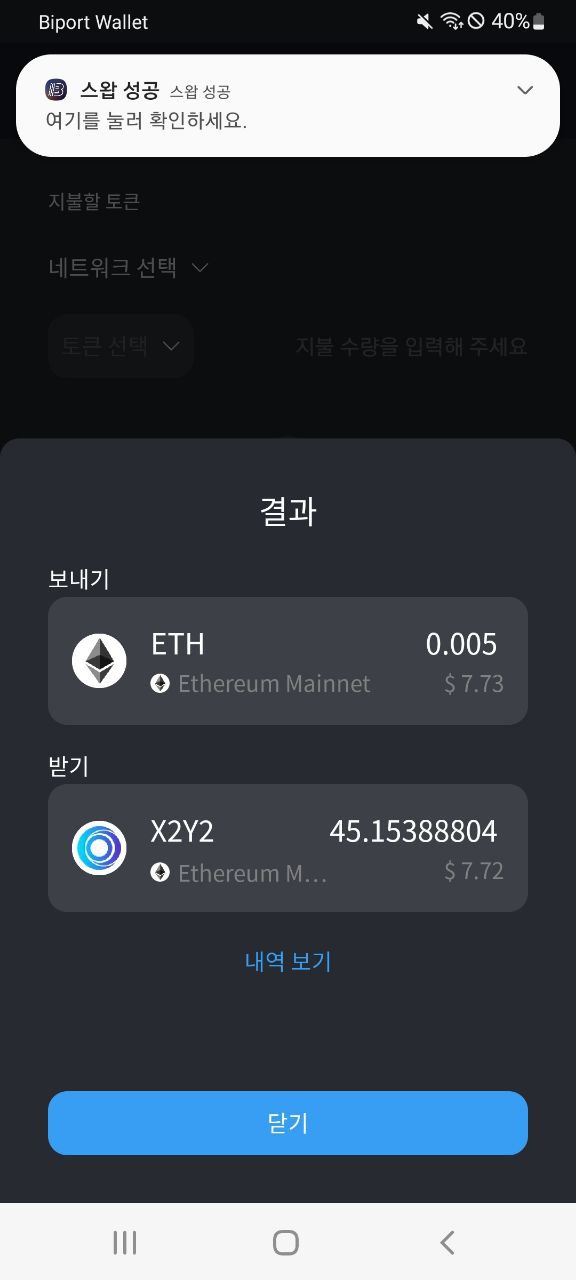
7. 트랜잭션이 성공했습니다!

### 구매한 토큰 지갑 화면에 추가하기

<div><img src="https://s3-us-west-2.amazonaws.com/secure.notion-static.com/3fcfb5f7-2da9-476b-ab3c-bc0cdbe57b6a/KakaoTalk_20230209_151018447.jpg" alt=""> <figure><img src="/files/QGtLLmodnZdLDGVIOiOP" alt=""><figcaption></figcaption></figure> <figure><img src="/files/0cUBWOhGOYL1opBmlxuB" alt=""><figcaption></figcaption></figure> <figure><img src="/files/r5P3wh6l50zGGH2aUHdX" alt=""><figcaption></figcaption></figure></div>

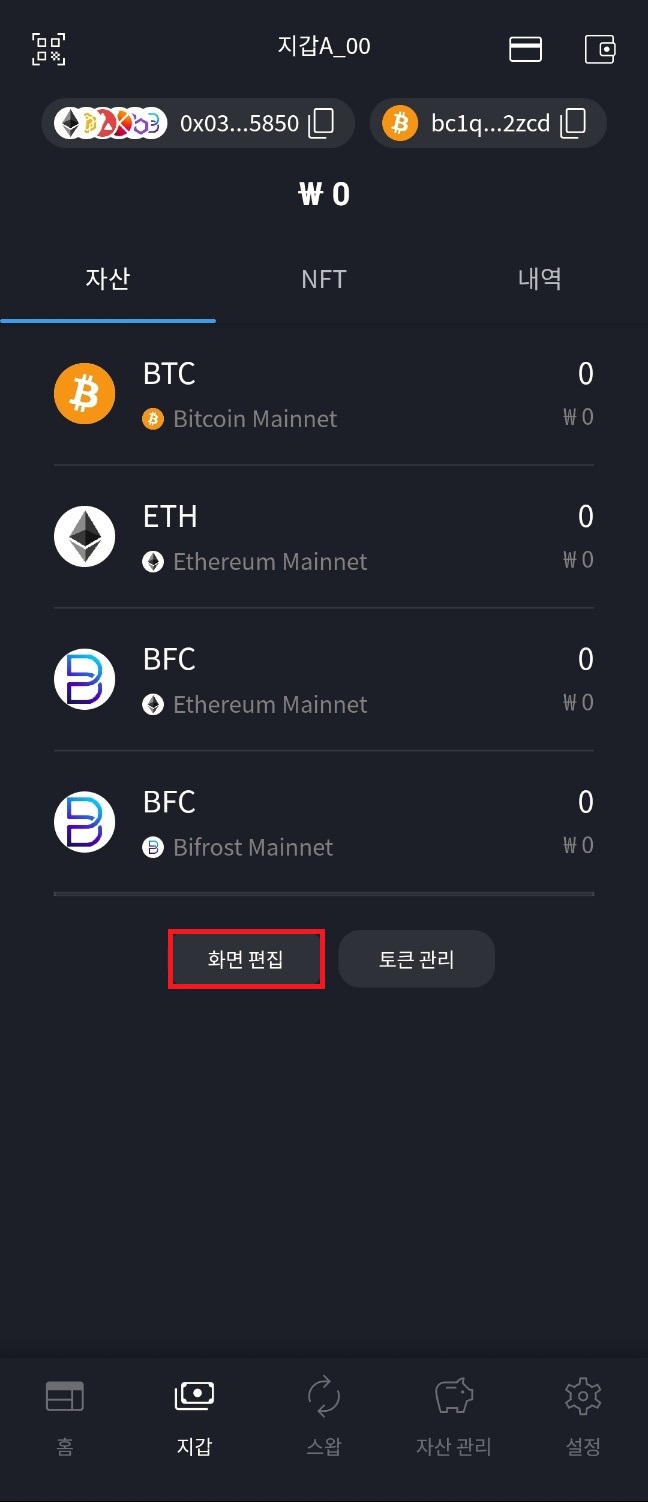
1. 지갑 화면에 있는 `토큰 관리` 버튼을 눌러 주세요.
2. 추가 하고 싶은 자산의 토글 버튼을 눌러 활성화합니다.
3. 지갑에 추가가 완료되었습니다.

![](https://s3-us-west-2.amazonaws.com/secure.notion-static.com/08710594-c799-445a-ba5f-ea27454248ab/%EC%A7%80%EA%B0%91%EC%97%90_%ED%86%A0%ED%81%B0_%EC%B6%94%EA%B0%803.jpg)